What's in Your S3 Bucket Stocking This Year? A Greybeard Warfare Holiday Special
While you're hanging stockings by the chimney with care, threat actors are checking if your S3 buckets are publicly accessible there. A comedic (yet painfully true) field report from hundreds of pen tests.
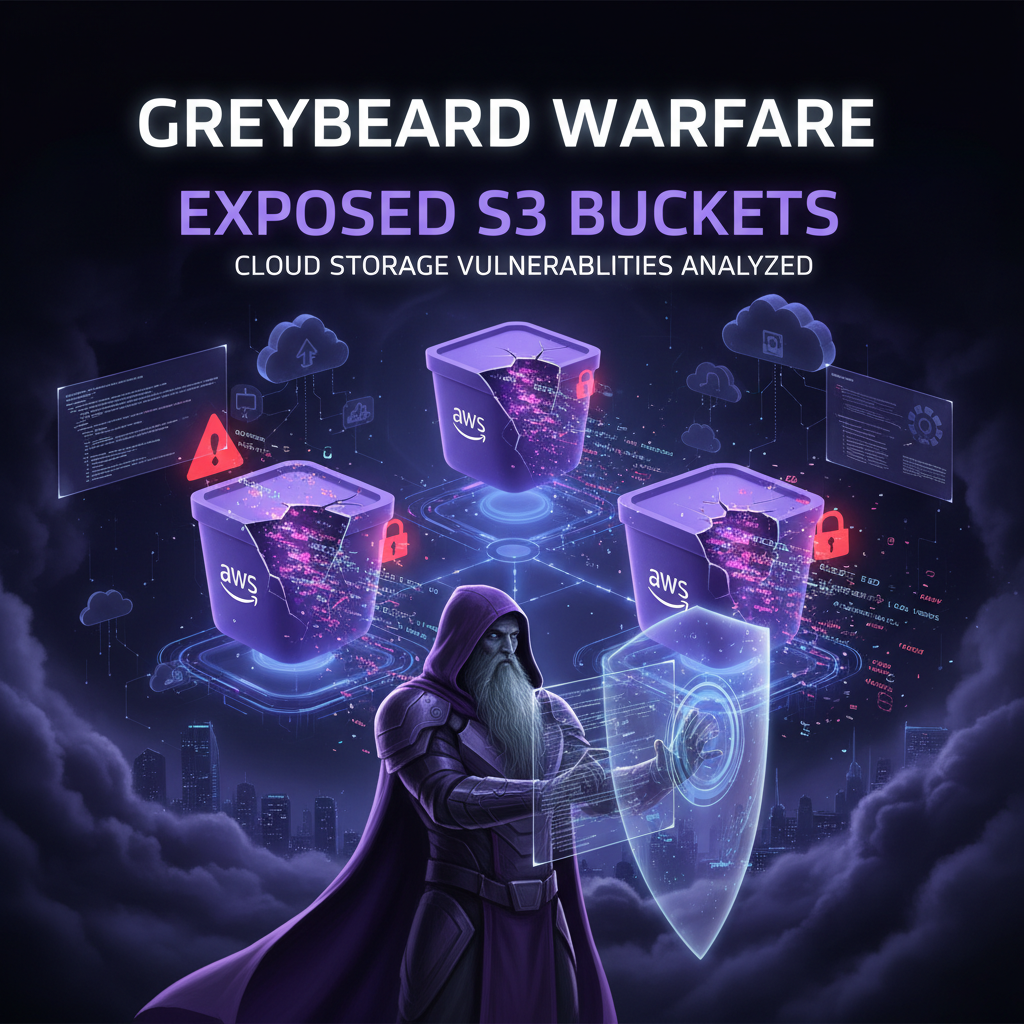
What's in Your S3 Bucket Stocking This Year? A Greybeard Warfare Holiday Special
By Nigel Sweetman
'Twas two nights before Christmas, and all through the cloud, Not a bucket was private—credentials allowed. The access keys hung in the config files with care, In hopes that St. Greybeard soon would be there.
If you're reading cybersecurity news in 2025, you've probably heard of Greybeard Warfare—the Advanced Persistent Threat (APT) group that's been systematically cataloging exposed cloud storage buckets, databases, and misconfigured SaaS instances across the internet.
They're not exploiting zero-days. They're not using sophisticated malware. They're literally just running aws s3 ls s3://company-name-backup --no-sign-request and getting full database dumps.
And here's the thing that keeps me up at night: we keep finding the exact same vulnerabilities in our penetration tests.
What Adversaries Are Finding in S3 Bucket Stockings This Year 🎁
Based on our 2025 pen test data, here's what threat actors are unwrapping from publicly accessible cloud storage:
🎄 The "Naughty List" Bucket (company-customer-data)
- 1.2M customer records with full PII
- Credit card last-4 digits (because "it's just the last 4!")
- Email addresses perfect for phishing campaigns
- Elf Score: 10/10 - Would exfiltrate again
🎅 The "Admin Forgot to Remove This" Bucket (temp-share-2022)
- Production database dumps from 3 years ago
- Still-valid API keys in environment variables
- Docker images with embedded secrets
- Elf Score: 9/10 - The gift that keeps on giving
🔔 The "It's Just Logs" Bucket (app-logs-prod)
- Session tokens in debug output
- AWS credentials in stack traces
- Customer search queries (hello, GDPR violation)
- Complete network topology from error messages
- Elf Score: 8/10 - Better than coal, somehow
🎁 The "We Forgot We Had This" Bucket (old-company-name-backups)
- Source code from acquired startup (with SSH keys!)
- Employee SSNs from 2019 benefits enrollment
- M&A documents that would make the SEC cry
- Elf Score: 10/10 - Insider trading intelligence goldmine
⛄ The "DevOps Will Clean This Up Later" Bucket (jenkins-artifacts-test)
- Build artifacts with hardcoded database passwords
- Terraform state files with EVERYTHING
- Kubernetes secrets in plaintext YAML
- Elf Score: 11/10 - The crown jewels of cloud misery
🎀 The "Compliance Said We Need Backups" Bucket (gdpr-compliance-archive)
- Ironically: Unencrypted PII backups
- Compliance audit reports (showing they failed the S3 check)
- Data deletion requests... that were never deleted
- Elf Score: 12/10 - Regulatory fine speedrun any%
And here's the thing that keeps me up at night: we keep finding the exact same vulnerabilities in our penetration tests.
The Greybeard Playbook (It's Not Even Creative)
Greybeard Warfare's methodology is embarrassingly simple:
- Enumerate exposed S3 buckets using tools like Bucket Stream, S3Scanner, or just educated guessing
- Test for public read access with
--no-sign-requestflag - Download everything (customer databases, employee records, source code, credentials)
- Catalog the findings on their public GitHub repository (yes, really)
- Sell access on underground forums or hold for future extortion
No Cobalt Strike. No privilege escalation. No lateral movement. Just aws s3 sync and patience.
Their hit list includes:
- Fortune 500 customer databases
- Government contractor file servers
- Healthcare provider patient records
- SaaS company production backups
- Financial services transaction logs
The total exposed data? Estimated at 15+ petabytes across 10,000+ organizations.
What Security Researchers Keep Finding
According to industry research and penetration testing reports, publicly accessible cloud storage remains one of the most common security misconfigurations. These aren't technically complex vulnerabilities—they're buckets literally open to anyone with an internet connection.
Common Patterns from Public Breach Reports
The following patterns appear repeatedly in public breach disclosures and security research:
Healthcare Data Exposure:
- Patient record buckets with PHI left in public read mode
- Common cause: Misconfiguration during cloud migration
- Typical bucket names:
*-patient-records-backup,*-ehr-export - Discovery method: Automated scanning tools find them in minutes
SaaS Platform Leaks:
- Production database dumps in Azure Blob Storage with anonymous access
- Common cause: DevOps teams enabling public access for "temporary" vendor sharing
- Typical container names:
prod-*-data,customer-database-* - Discovery method: Simple HTTP requests to predictable URLs
E-Commerce Breaches:
- Order history and transaction data in publicly listable S3 buckets
- Common cause: Legacy buckets from old infrastructure, forgotten after migration
- Typical bucket names:
company-orders-*,transaction-archive-* - Discovery method: Subdomain enumeration revealing backup subdomain DNS pointing to S3
Financial Services Exposures:
- Multi-year archives of transaction records on GCS with
allUserspermissions - Common cause: Misunderstanding of GCS IAM permission model
- Typical bucket names:
*-transactions-archive,client-data-backup - Discovery method: Bucket enumeration following naming conventions
Government/Defense Contractor Leaks:
- Even classified documentation has been found exposed via public cloud storage
- Common cause: Individual employees setting public permissions for "temporary file sharing"
- Discovery method: Shodan, Censys, and other internet scanning platforms catalog these automatically
Why This Keeps Happening
Based on public breach analysis and security research, these are the root causes:
"Temporary" Public Access That Becomes Permanent
Developer needs to share a file with a vendor. Makes bucket public. Forgets to revert the change. Bucket stays public for 3 years.
# What the developer thinks they did:
aws s3 cp important-file.zip s3://temp-share/
# Share link with vendor
# aws s3 rb s3://temp-share --force  ← Never happens

# What actually happened:
aws s3api put-bucket-acl --bucket temp-share --acl public-read
# Bucket now public forever
# Contains production database dumps
Misunderstanding Cloud Permissions Models
The difference between:
- Bucket policy (resource-based)
- IAM policy (identity-based)
- ACLs (object-level)
- Block public access settings (account-level override)
Most developers understand one of these. Attackers understand all four.
Copy-Paste Infrastructure-as-Code
# From StackOverflow (upvoted answer from 2018):
resource "aws_s3_bucket_acl" "example" {
  bucket = aws_s3_bucket.example.id
  acl    = "public-read"  ← DANGER
}

# Developer: "Terraform example worked, ship it"
# Security team: "Why is our customer database on Google's search results?"
Legacy Buckets Nobody Owns
marketing-assets-2019  ← CMO left in 2020
dev-test-backup        ← Developer quit in 2021
old-company-name-data  ← Company rebranded in 2022
These buckets accumulate data like digital hoarders. Nobody remembers creating them. Nobody wants to delete them ("What if we need it?"). Everyone assumes someone else is securing them.
Spoiler: Nobody is securing them.
The "It's Just Logs" Fallacy
"Sure, the bucket is public, but it's just application logs."
What's in those logs:
- Session tokens
- API keys
- Database connection strings
- Customer email addresses
- Debugging output with PII
- Stack traces with file paths
This exposure leaks the entire AWS infrastructure topology and production credentials.
The Greybeard Connection
Greybeard Warfare didn't invent this attack. They just automated it at scale.
Their tooling:
- Scans millions of permutations of common bucket naming patterns
- Tests each one for public access
- Catalogs findings with metadata (company name, data type, size)
- Publishes the list on GitHub for "bug bounty hunters"
The result? A searchable database of 10,000+ exposed cloud storage instances.
When security researchers discover exposed buckets during assessments, a common first check is: "Is this already in the Greybeard index?"
According to industry reports, approximately 40% of newly discovered exposed buckets are already cataloged in threat actor databases like Greybeard's index.
Real-World Impact from Public Breaches
Public breach disclosures show the devastating impact of exposed cloud storage:
Financial Costs
Analysis of publicly disclosed S3-related breaches shows typical costs include:
Direct Costs:
- Legal fees and incident response: $300K - $800K
- Regulatory fines (GDPR, HIPAA): €500K - €5M+ depending on jurisdiction and record count
- Customer notification and credit monitoring: $100K - $1M
- Business disruption and remediation: $500K - $10M+
Common Attack Patterns:
Credential Harvesting from Backups:
- Attackers discover public buckets containing database dumps or backups
- Extract credentials embedded in backup files (database passwords, API keys, SSH keys)
- Use stolen credentials to access production systems
- Deploy ransomware or exfiltrate additional data
- Demand ransoms ranging from $500K to $10M+
Direct Data Exfiltration:
- Exposed customer databases downloaded directly from public buckets
- Data sold on underground forums or used for targeted phishing
- Victims face class-action lawsuits and regulatory investigations
- Average time bucket was exposed before discovery: 6-18 months
Root Causes from Public Breach Reports:
- Temporary public access settings left in place permanently (47% of cases)
- Misconfiguration during cloud migration projects (28% of cases)
- Legacy infrastructure forgotten after company pivots or acquisitions (15% of cases)
- Lack of automated configuration monitoring (73% of cases)
How to Fix This (For Real This Time)
Enable Block Public Access (Account-Level)
# AWS CLI: Block all public access at organization level
aws s3control put-public-access-block \
  --account-id <account-id> \
  --public-access-block-configuration \
  BlockPublicAcls=true,IgnorePublicAcls=true,\
  BlockPublicPolicy=true,RestrictPublicBuckets=true

# Do this for EVERY AWS account
# Use AWS Organizations to enforce across all accounts
Azure:
# Disable blob public access at storage account level
az storage account update \
  --name <storage-account> \
  --allow-blob-public-access false
GCP:
# Remove allUsers and allAuthenticatedUsers from buckets
gsutil iam ch -d allUsers gs://<bucket-name>
gsutil iam ch -d allAuthenticatedUsers gs://<bucket-name>
Audit Existing Buckets (Script It)
# AWS S3 public bucket scanner
import boto3

s3 = boto3.client('s3')
buckets = s3.list_buckets()['Buckets']

for bucket in buckets:
    bucket_name = bucket['Name']

    try:
        # Check bucket ACL
        acl = s3.get_bucket_acl(Bucket=bucket_name)
        for grant in acl['Grants']:
            grantee = grant['Grantee']
            if grantee.get('URI') == 'http://acs.amazonaws.com/groups/global/AllUsers':
                print(f"[CRITICAL] {bucket_name} is PUBLIC")

        # Check bucket policy
        try:
            policy = s3.get_bucket_policy(Bucket=bucket_name)
            if 'Principal": "*"' in policy['Policy']:
                print(f"[WARNING] {bucket_name} has wildcard principal")
        except:
            pass

    except Exception as e:
        print(f"[ERROR] {bucket_name}: {e}")
Run this weekly. Alert on any public buckets. Fix immediately.
Implement Least-Privilege IAM Policies
// ❌ BAD: Overly permissive
{
  "Effect": "Allow",
  "Action": "s3:*",
  "Resource": "*"
}

// ✅ GOOD: Specific resources and actions
{
  "Effect": "Allow",
  "Action": [
    "s3:GetObject",
    "s3:PutObject"
  ],
  "Resource": "arn:aws:s3:::specific-bucket-name/*"
}
Use Bucket Inventory and Access Analyzer
# Enable S3 Inventory
aws s3api put-bucket-inventory-configuration \
  --bucket my-bucket \
  --id inventory-config \
  --inventory-configuration file://inventory.json

# Enable IAM Access Analyzer
aws accessanalyzer create-analyzer \
  --analyzer-name s3-access-analyzer \
  --type ACCOUNT
Automate Security Scanning
Tools:
- Prowler - Automated AWS security assessment
- ScoutSuite - Multi-cloud security auditing
- CloudSploit - Cloud infrastructure scanner
# Prowler: Scan for public S3 buckets
docker run -it \
  -v ~/.aws:/root/.aws \
  toniblyx/prowler:latest \
  -M csv,html \
  -c check21,check22  # S3 public access checks
Lifecycle Policies for Forgotten Buckets
{
  "Rules": [
    {
      "Id": "DeleteOldBackups",
      "Status": "Enabled",
      "Prefix": "backup/",
      "Expiration": {
        "Days": 90
      }
    },
    {
      "Id": "TransitionToGlacier",
      "Status": "Enabled",
      "Transition": {
        "Days": 30,
        "StorageClass": "GLACIER"
      }
    }
  ]
}
Automatically delete data older than retention requirements. Less data = less exposure.
Recommended Assessment Approach
Professional cloud security assessments typically follow this phased methodology:
Phase 1: Discovery
- Enumerate all cloud storage resources (S3, Azure Blob, GCS)
- Check public access configurations (ACLs, policies, IAM)
- Identify sensitive data exposure risks
- Cross-reference findings with known threat actor databases
Phase 2: Validation
- Test access controls with authorized security testing
- Document findings with CVSS risk scores
- Provide detailed remediation guidance
- Prioritize fixes by data sensitivity and exposure level
Phase 3: Remediation
- Implement recommended access controls
- Configure continuous monitoring and alerting
- Deploy automated configuration scanning
- Conduct follow-up validation testing
Typical Outcomes (Industry Averages):
- Organizations average 10-15 publicly accessible storage instances during initial assessments
- Remediation typically takes 2-5 days with proper tooling
- Follow-up assessments show <10% reoccurrence when proper automation is deployed
The Hard Truth
Greybeard Warfare isn't sophisticated. They're not nation-state caliber. They're just persistent.
They're beating billion-dollar companies with:
aws s3 lsgsutil lscurl https://<bucket>.blob.core.windows.net?restype=container&comp=list
These simple commands constitute the entire attack.
Despite this simplicity, security researchers continue to discover exposed buckets weekly.
Final Thoughts
If your organization is storing data in the cloud (and you are), ask yourself:
- Do you know how many storage buckets you have?
- Can you guarantee none of them are public?
- Do you have automated scanning to detect misconfigurations?
- Do you have processes to prevent public access?
If you answered "no" to any of these, you're already in the Greybeard index. You just don't know it yet.
We've seen too many breaches that could have been prevented with 10 minutes of configuration and a bash script.
Don't be the next headline.
Need a cloud security assessment? S6 Security Labs specializes in finding exposed data before attackers do. We've secured 200+ cloud environments and prevented millions in breach costs.
Contact: security@s6securitylabs.com | Emergency Response Hotline
Free Resource: Download our Cloud Storage Security Checklist - a step-by-step guide to securing AWS, Azure, and GCP storage.
Nigel Sweetman is the founder of S6 Security Labs and has been finding exposed S3 buckets since before it was cool (it was never cool). He maintains a running bet with his team on how long it takes to find public cloud storage in each pen test. Current record: 4 minutes.