
← CyberSafe@Home index

Supply chain

Development at home: package installs can run code

Developers and tinkerers often run package installs at home on machines that also touch email, banking, family photos or work. Package managers can execute code during install. That tiny convenience gap is large enough to drive malware through.

Short version

Treat package installs and one-line runners as potential code execution. npm and pnpm run lifecycle hooks; Bun blocks arbitrary dependency hooks by default unless you mark packages as trusted; Composer has script events; pip needs hash/lock discipline because the risk is still untrusted code on a real machine. Especially at home, where email, browser sessions and family files sit nearby.

If you only do one thing, start here

Best: spare device or VM with no real accounts. Good: dev container or separate OS user with no saved sessions/tokens. Limited: separate browser profile for web separation only, not for containing software you run.

Done when

You can answer this without guessing: Can this install run lifecycle scripts?

If you have five more minutes

  • 2Read package.json scripts and lockfile changes before installing unfamiliar dependencies.
  • 3Avoid running random one-line curl/bash, npx, bunx, pip or composer commands from blogs on a sensitive daily-use machine.
npm package manager logo
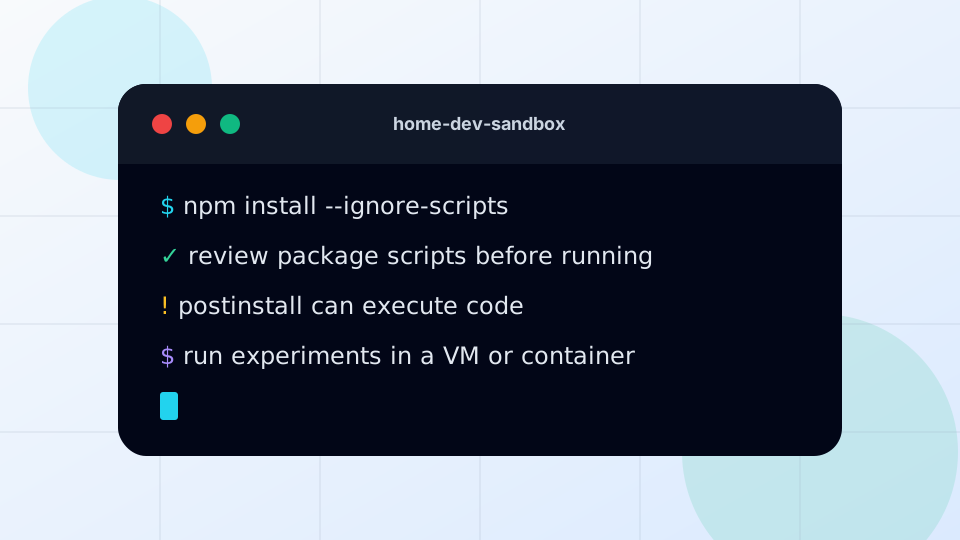
Terminal window
Browser extension screenshot

Install path

From weekend demo to account reach

This is why the page is blunt about package installs. The risky part is not reading a README. It is running setup inside the same user profile that holds real accounts.

Read one step at a time, then ask where the command runs and which secrets sit nearby.

01

README

Looks useful. Copy the setup command.

02

package install

npm, pnpm, bun, pip or Composer resolves dependencies.

03

lifecycle hook

preinstall, install or postinstall can run before you inspect much.

04

local reach

Shell tokens, SSH keys, browser sessions and files become the prize.

Blast radius

The project lives away from useful secrets, so a bad install has less to steal.

Install discipline

A fast command from a README can still run code faster than a human can read the dependency tree.

Teaching model, not a scan: these toggles do not inspect your home. Treat amber or red results as prompts for a real check on the device, account, router or family process they describe.

Explain the jargon

Small terms, big consequences

Tap a term for the plain-English version and the practical move. No fake mystique, just the bit that changes what you do at home.

?Lifecycle script

A package-manager hook that can run during install, such as preinstall, install or postinstall.

Do this: Check package.json and dependency changes before installing unfamiliar projects.

?npx/bunx

Convenience commands that fetch and run a package quickly. That speed is the point, and also the risk.

Do this: Run unknown tools in a container, VM, separate OS user or spare device rather than your main daily-use account. A browser profile is not containment for code execution.

?Blast radius

The set of accounts, files, tokens and sessions a mistake can reach from where you ran the command.

Do this: Keep browser sessions, SSH keys, cloud tokens and work material out of untrusted dev environments.

Do this

  • Best: spare device or VM with no real accounts. Good: dev container or separate OS user with no saved sessions/tokens. Limited: separate browser profile for web separation only, not for containing software you run.
  • Read package.json scripts and lockfile changes before installing unfamiliar dependencies.
  • Avoid running random one-line curl/bash, npx, bunx, pip or composer commands from blogs on a sensitive daily-use machine.
  • Use ignored scripts as a review tool, not a permanent guarantee. If a project only works after enabling scripts, inspect what will run first.
  • After suspicious installs, check environment variables, shell startup files, SSH agent, .npmrc, registry tokens, cloud CLI credentials, GitHub tokens and synced folders.

Check

  • Can this install run lifecycle scripts?
  • Did a new dependency add postinstall/preinstall hooks?
  • Are personal/work tokens available in the shell?
  • Is this project isolated from normal browser/email/banking?
  • Would you run this command on a work build runner?

Avoid

  • Thinking npm install only downloads text files.
  • Running npx/bunx random-tool@latest because a README said so.
  • Testing shady repos on the same laptop that stores browser sessions, SSH keys and tax documents.
  • Ignoring package scripts because the command completed quickly.

Self-check questions

Questions that expose the real habit

Use these quick checks to find the next practical fix. The useful answer is not perfect security; it is whether the safer path is obvious when someone is tired, embarrassed or in a hurry.

Install-command pause

Before running npm, pnpm, bun, pip, Composer, curl|bash, npx or bunx, what can this command reach from this shell?

Good sign: The command runs in a container, VM, separate OS user or spare device with no saved browser sessions or sensitive tokens.

Watch for: A fast demo install on the daily laptop can see far more than the project folder if scripts run.

Token sweep

Are SSH keys, cloud tokens, package tokens, .npmrc/registry tokens, cloud CLI credentials, GitHub tokens, synced folders, password-manager access or work credentials available in this terminal or browser profile?

Good sign: Secrets are outside the test environment, and the project cannot casually read home directories, agents or synced folders.

Watch for: Home dev machines often have the exact mix malware likes: email open, cloud synced, keys loaded and curiosity high.

Script review

What changed in package scripts, lockfiles or installer instructions since the last trusted run?

Good sign: Lifecycle hooks and new dependencies are checked before install; serious projects use frozen lockfiles.

Watch for: Postinstall output that flashes by quickly is still code execution, not harmless setup theatre.

Scenario

The quick GitHub demo

A developer clones a promising weekend AI tool and runs npm install on the same laptop used for work email, banking and cloud storage.

Better response

  • Run it in a dev container or VM first
  • Inspect package.json lifecycle scripts
  • Keep tokens and browser sessions out of the test environment

Worse habit

Treating postinstall output as harmless setup noise because the demo looked useful.

Why this advice holds

The details behind the advice

Know what can run during package installs, why lifecycle hooks matter, and how to keep hobby code away from sensitive accounts.

  1. Postinstall is code execution

    JavaScript package managers such as npm and pnpm support lifecycle hooks including preinstall, install and postinstall. Bun takes a safer default by blocking arbitrary dependency lifecycle scripts unless a package is trusted, which is exactly why the setting matters. Composer has script events too. The common household lesson is simple: an installer can cross the line from fetching files into running code.

  2. The home angle

    Home development machines are messy by design: personal email open, browser sessions saved, cloud drives synced, SSH keys loaded, family documents nearby. That makes a malicious package install more than a developer inconvenience; it can become account theft or work-adjacent exposure.

  3. Usable controls

    Use isolation first: VM, dev container, separate OS user or throwaway test machine. A browser profile can help separate web sessions; it does not safely contain software executed on the computer. For serious projects, use lockfiles, frozen installs, registry controls and deliberate review of dependency/script changes.

  4. Ignored scripts are a pause button

    Disabling lifecycle scripts can help review what a project wants to run. It is not a permanent safety guarantee. If enabling scripts is required, inspect the commands and dependencies before doing it.

  5. Token sweep after a mistake

    Look beyond the project folder: environment variables, shell startup files, SSH agent, .npmrc, registry tokens, cloud CLI credentials, GitHub tokens, browser sessions and synced folders can all be in reach.